Install
Default install
BSL requires Python version 3.8 or higher and is available on
PyPI. It is distributed with a compatible version of
liblsl.
$ pip install bsl
Not yet available.
$ pip install git+https://github.com/fcbg-platforms/bsl
Optional dependencies
Parallel port
ParallelPortTrigger sends trigger (8 bits values) to a parallel port.
On Linux, the pyparallel library is required. If an
Arduino to parallel port (LPT) converter is used, the pyserial
library is required. Both can be installed using the extra-key triggers:
$ pip install bsl[triggers]
On Linux, the user must have access to the parallel port. For instance, if an onboard
parallel port at the address /dev/parport0 is used, you can check the group owning
the device with:
$ ls -l /dev/parport0
Usually, the group is lp. The user should be added to this group:
$ sudo usermod -aG lp $USER
Moreover, pyparallel requires the lp kernel module to be unloaded. This can be
done at boot with a blacklist-parallelport.conf file containing the line
blacklist lp in /etc/modprobe.d/.
If an Arduino to parallel port (LPT) converter is used, the user
should be added to the dialout group which owns the serial port used:
$ sudo usermod -aG dialout $USER
Qt
At the moment, BSL requires PyQt5. Future versions will support other Qt
bindings via qtpy. On Linux based distribution, PyQt5 requires system libraries:
$ sudo apt install -y qt5-default  # Ubuntu 20.04 LTS
$ sudo apt install -y qtbase5-dev qt5-qmake  # Ubuntu 22.04 LTS
Advance install
By default, BSL is distributed with a recent version of liblsl that should work
on Ubuntu-based distribution, macOS and Windows. If your OS is not compatible with the
distributed version or if you want to use a specific liblsl, provide the path to the
library in an environment variable LSL_LIB.
Troubleshooting
On Linux, liblsl requires libpugixml-dev and LabRecorder requires
qt6-base-dev and freeglut3-dev.
$ sudo apt install -y libpugixml-dev qt6-base-dev freeglut3-dev
On macOS, homebrew can be used to download and install liblsl:
$ brew install labstreaminglayer/tap/lsl
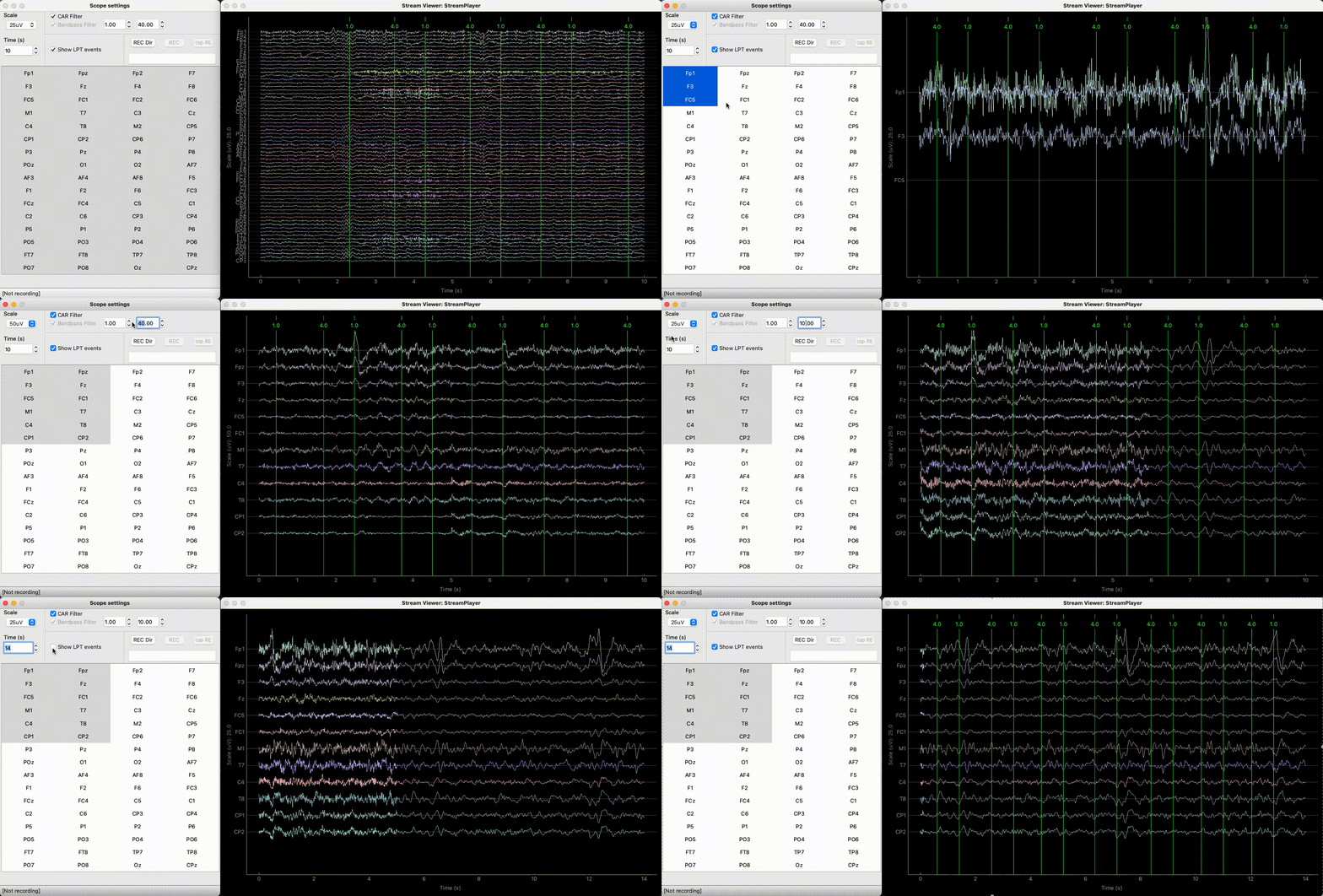
To test the installation, you can run a fake stream with a StreamPlayer and
display it with a StreamViewer.
Download a sample bsl.datasets:
import bsl
dataset = bsl.datasets.eeg_resting_state.data_path()
print (dataset)  # displays the path to the -raw.fif dataset
Run a
StreamPlayereither from a python console:import bsl dataset = bsl.datasets.eeg_resting_state.data_path() player = StreamPlayer('TestStream', dataset) player.start()
Or from a terminal in the folder containing the dataset (
~/bsl_data/eeg_sample):$ bsl_stream_player TestStream resting_state-raw.fif
Run a
StreamViewerfrom a different terminal:$ bsl_stream_viewerThe
StreamViewershould load and display: